
Set Up Parent-Child Conversations

Parent-child conversation lets you break a complex conversation into smaller sub-conversations for different teams, while keeping the customer's issue tracked in one place until every part is resolved.
Parent-child conversation available from starter plan and above.
How It Works
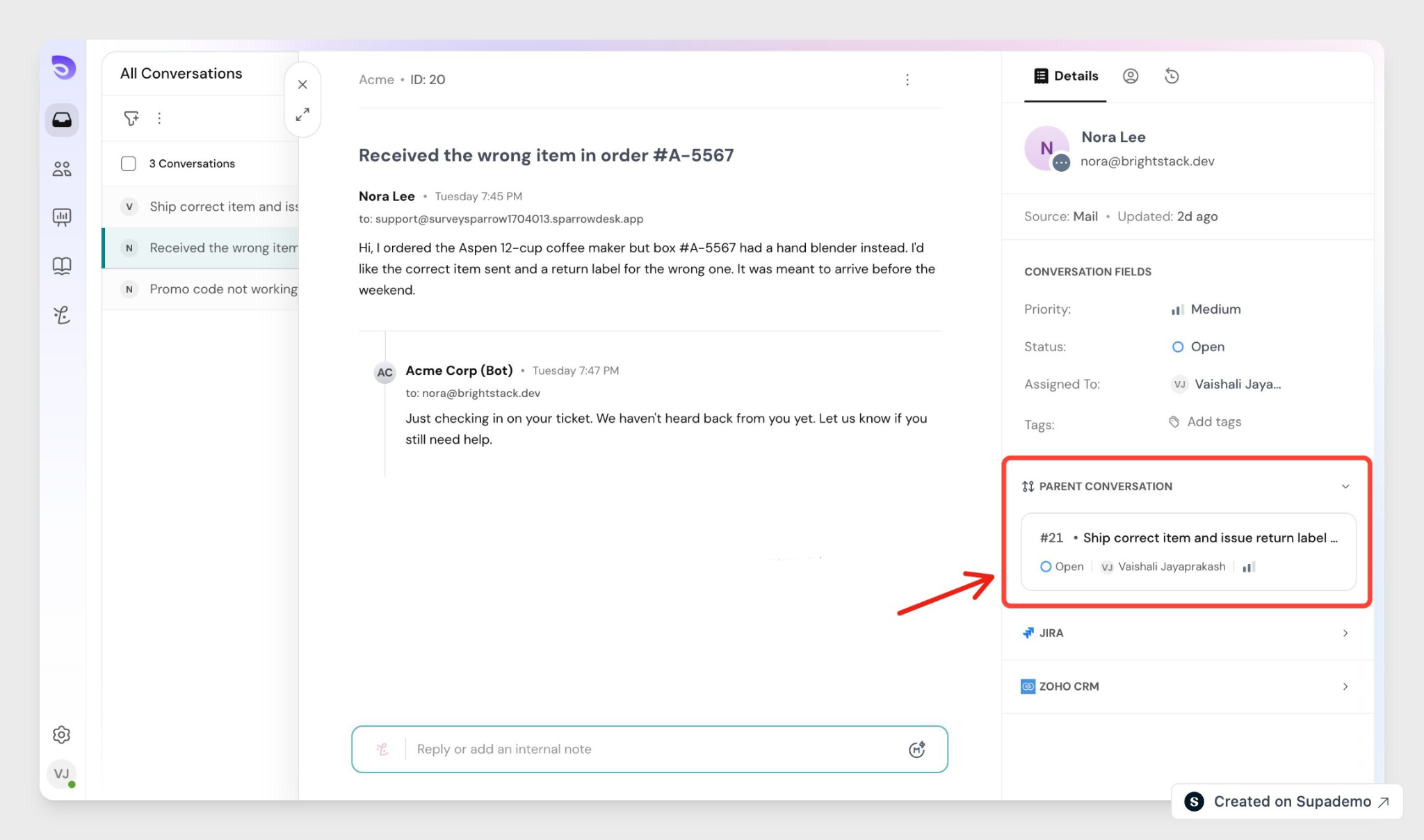
Any conversation becomes a parent the moment you add a child to it. Each child is a separate conversation you assign to another team, so several teams work in parallel. The parent stays open until every child is resolved, which stops a customer's issue from being closed while part of it is still in progress.
A child you create is internal to your team, so the customer sees only the parent. A child you link keeps whatever channel it already had.
Turn On Parent-Child conversations
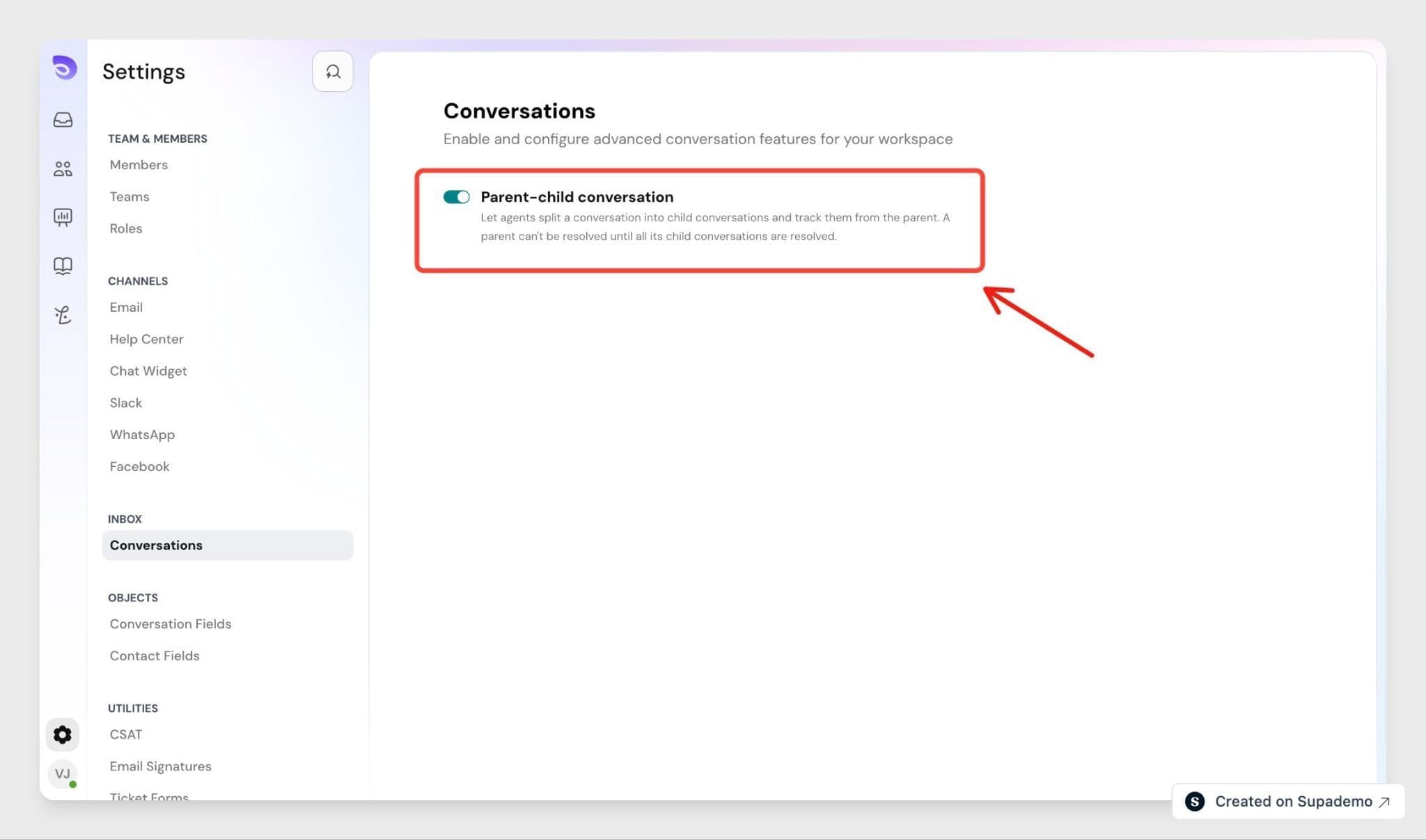
Parent-child conversation is an account-level setting. An admin turns it on once for the whole account.
- Go to Settings → Inbox → Conversations
- Turn on Parent-Child conversation.
The feature is now available on conversation across your account. On lower plans the setting shows an upgrade prompt instead.
Add a Child Conversation
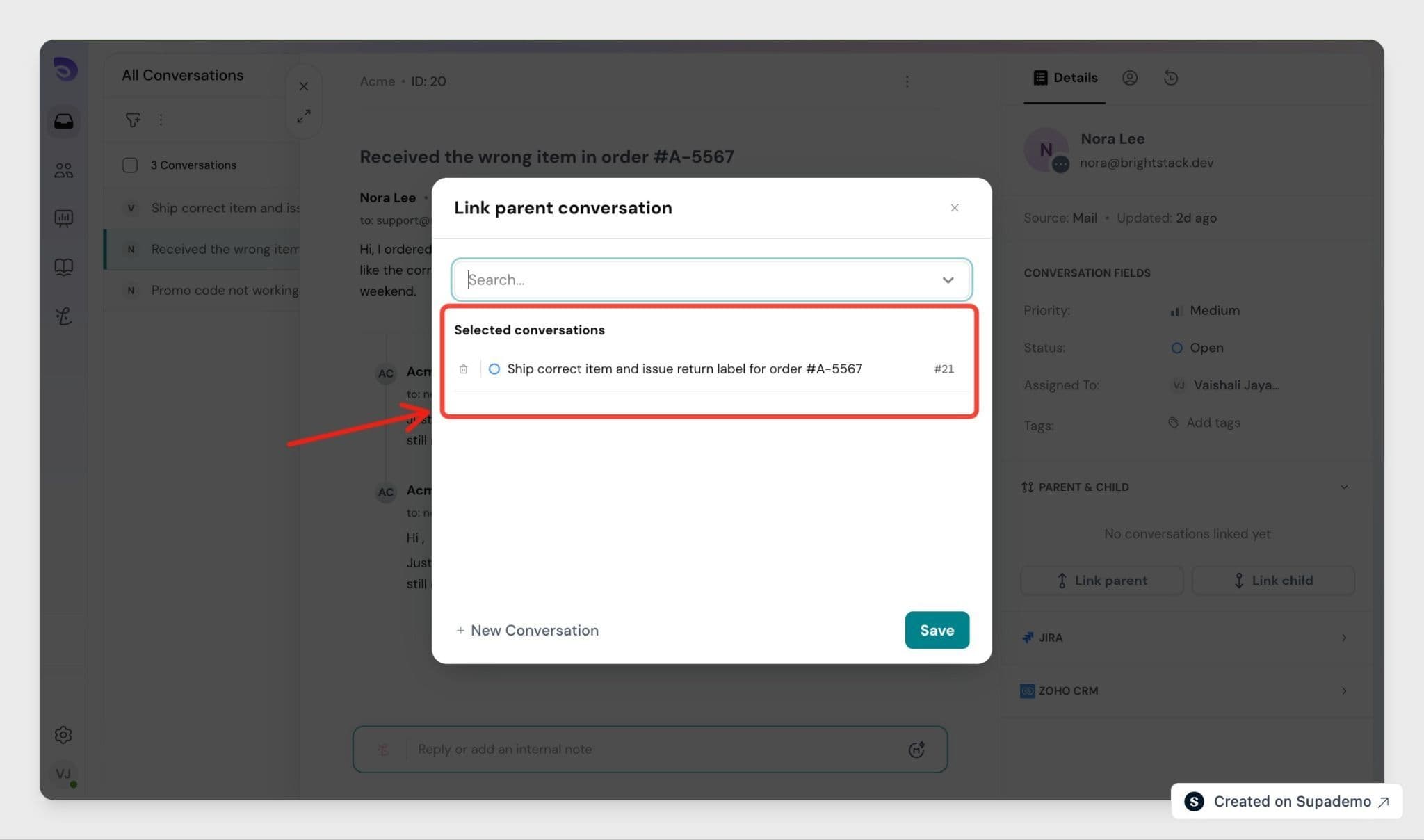
Open the parent conversation and find the Child conversation section. You can add a child two ways:
- Create child- Enter the conversation details and assign it to the right team. You can copy fields such as priority or tags from the parent so you do not re-enter them.
- Link existing- Search by conversation ID or keyword and select an existing conversation to link as a child.
A conversation can have only one parent, and a child cannot have children of its own. You can link up to 20 child conversations to one parent.
Resolve a Parent Conversation
You cannot move a parent to Resolved or Closed while any child is still open. If you try, SparrowDesk blocks the change and lists the child conversation you still need to close. Resolve or unlink those children first.
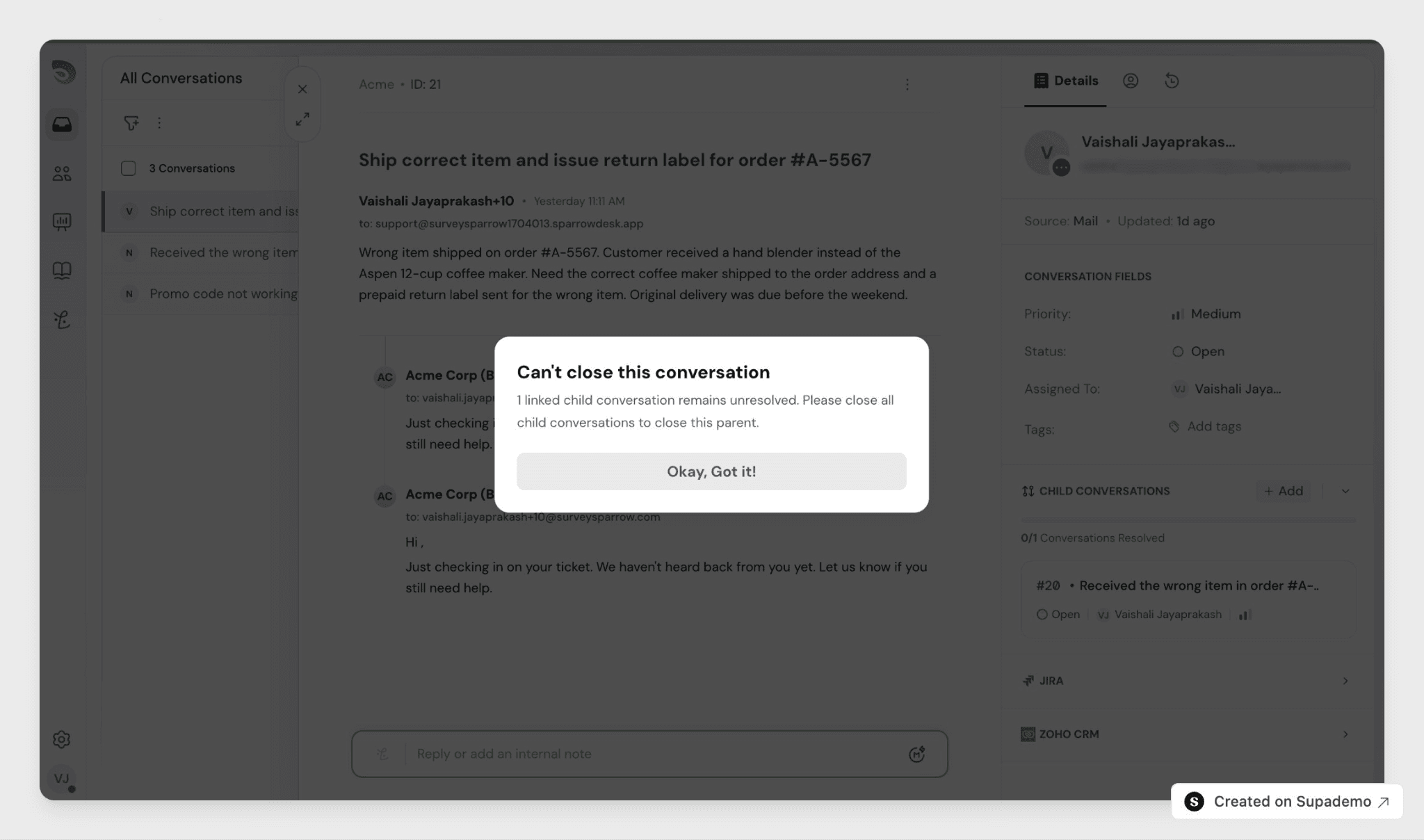
The Child conversation section shows a running count, such as "3 of 5 resolved," so you can see what is left. The agent assigned to the parent is notified when a child is created, changes status, or is resolved.
Tip: Filter the conversation list by "Is a parent conversation" or "Is a child conversation" and save the result as a view, such as an open parent conversation assigned to you.
Automate Parent-Child Conversations with Workflows
Parent-child conversations add one trigger and three conditions to the workflow builder, so you can act on a hierarchy automatically instead of tracking children by hand.
New trigger
- All child conversations resolved- Fires when every child under a parent moves to Resolved or Closed. Use it to auto-resolve the parent, notify the agent assigned to the parent, or start a follow-up workflow.
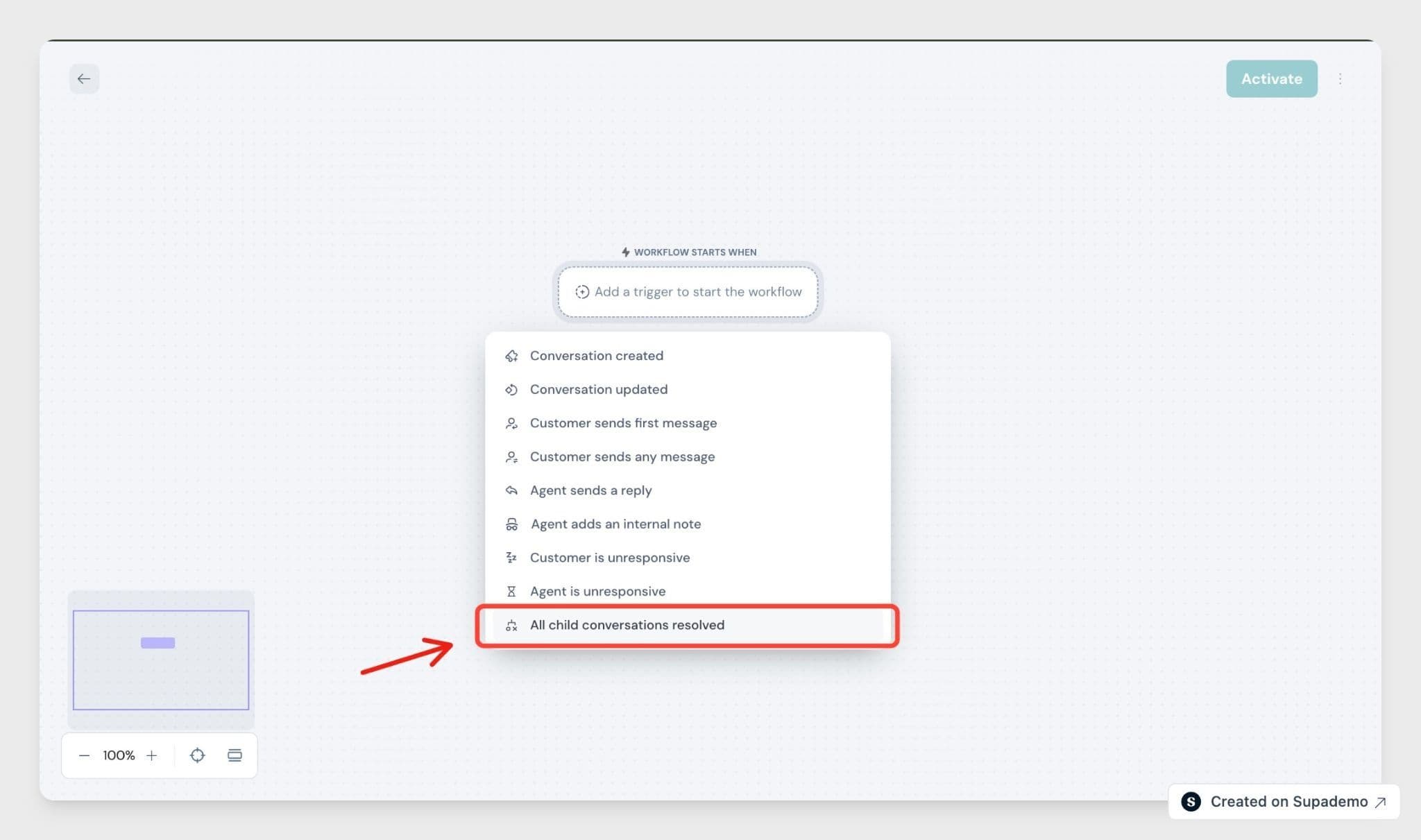
New conditions
Open Run only when on your trigger, click Set conditions, and pick from the Conversation attributes:
- Is a parent conversation — Yes / No
- Is a child conversation — Yes / No
- Has open child conversations — Yes / No
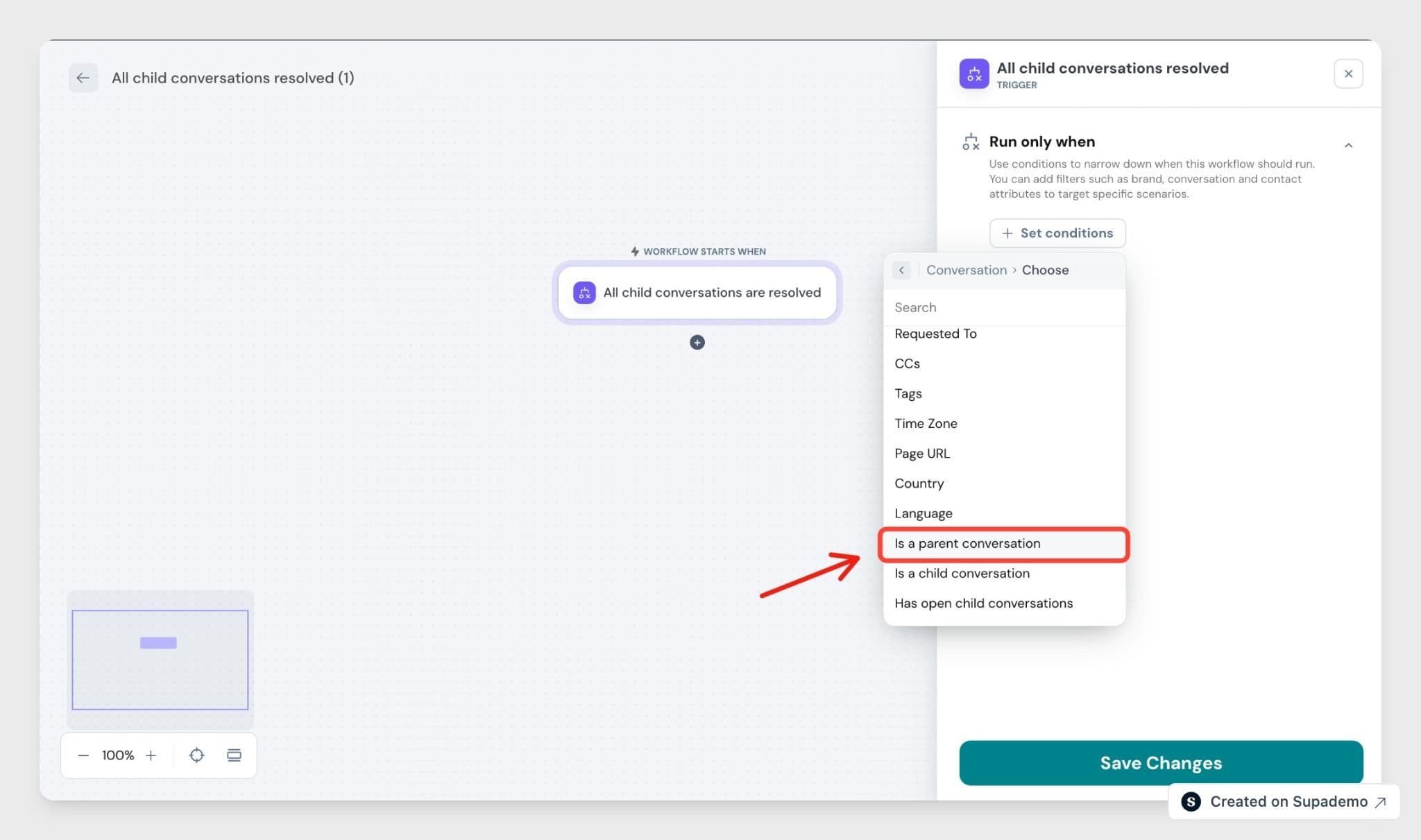
Example workflows
- When a child conversation is resolved, add an internal note to its parent.
- When a parent conversation has open children and its SLA is approaching, notify the assigned agent.
- When a child conversation is created, auto-assign it to a specific team.
For how to build a workflow from scratch, see the Workflows article.
FAQ
- Which channels support parent-child conversation?
A child you create is a standard internal conversation, whatever channel the parent came from. A child you link keeps its own channel and history. - Can I unlink or move a child to a different parent?
You can unlink a child at any time if you are an admin or an agent with access to the parent. To move a child to a different parent, unlink it first, then link it to the new one. - What happens if I delete a parent or a child conversation?
Deleting a child removes it from the parent's list, and the parent's closure block updates automatically. Deleting a parent leaves its children as standalone conversation, with the parent reference cleared from each one. - Can I merge a conversation that is part of a hierarchy?
No. Merging is blocked for any parent or child conversation. Unlink the conversations first, then merge. - Do child conversations affect my team's reports?
Child conversations are left out of top-level SLA metrics like First Response Time and Resolution Time, so they do not double-count. You can still filter reports by parent or child, or group child conversation under their parent conversation ID.