
Staying on Top of New Messages from Customers

Timely responses are critical in customer support. SparrowDesk offers multiple ways to help agents and teams stay informed when new messages arrive, so nothing slips through the cracks.
In-Inbox Notifications
Inside the Inbox, agents receive real-time alerts through:
Notification Sounds
- When a new conversation is received, a distinct sound is played.
- When a new message is received in an existing conversation, a different sound is used.
This allows agents to easily distinguish between new conversations and updates on ongoing ones.
Browser Tab Title Updates
- The page title dynamically updates to reflect unread activity.
- For example, if there are 5 unread messages across different conversations, the title will show:
5 new conversations
Email Notifications
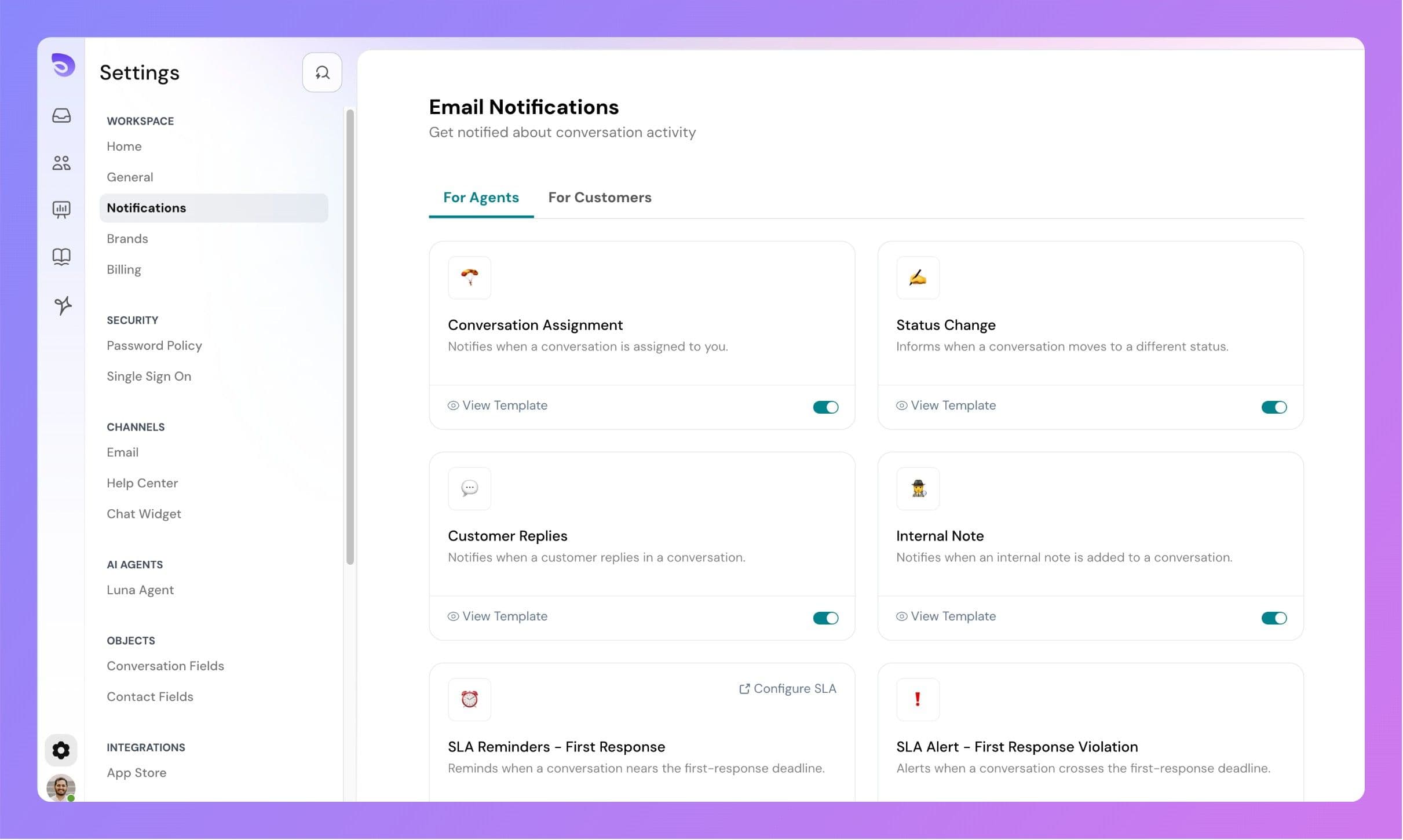
SparrowDesk also supports email alerts for different stages of the conversation lifecycle — such as assignment, replies, mentions, etc. These settings are customizable and covered in a separate article.
Workflow-Based Alerts (Slack, Webhooks)
To stay in sync with your tools and team workflows, you can also:
- Create Workflows that send messages to Slack when new conversations come in or when other key events occur, using Send HTTP Request action
- Use Send Email action to send updates to agents.
These are especially useful for cross-functional teams who use Slack or internal dashboards for collaboration.