
Help Center Reports

See how customers search, browse, and find answers in your Help Center, so you can spot content gaps and improve what you publish.
What This Feature Tracks
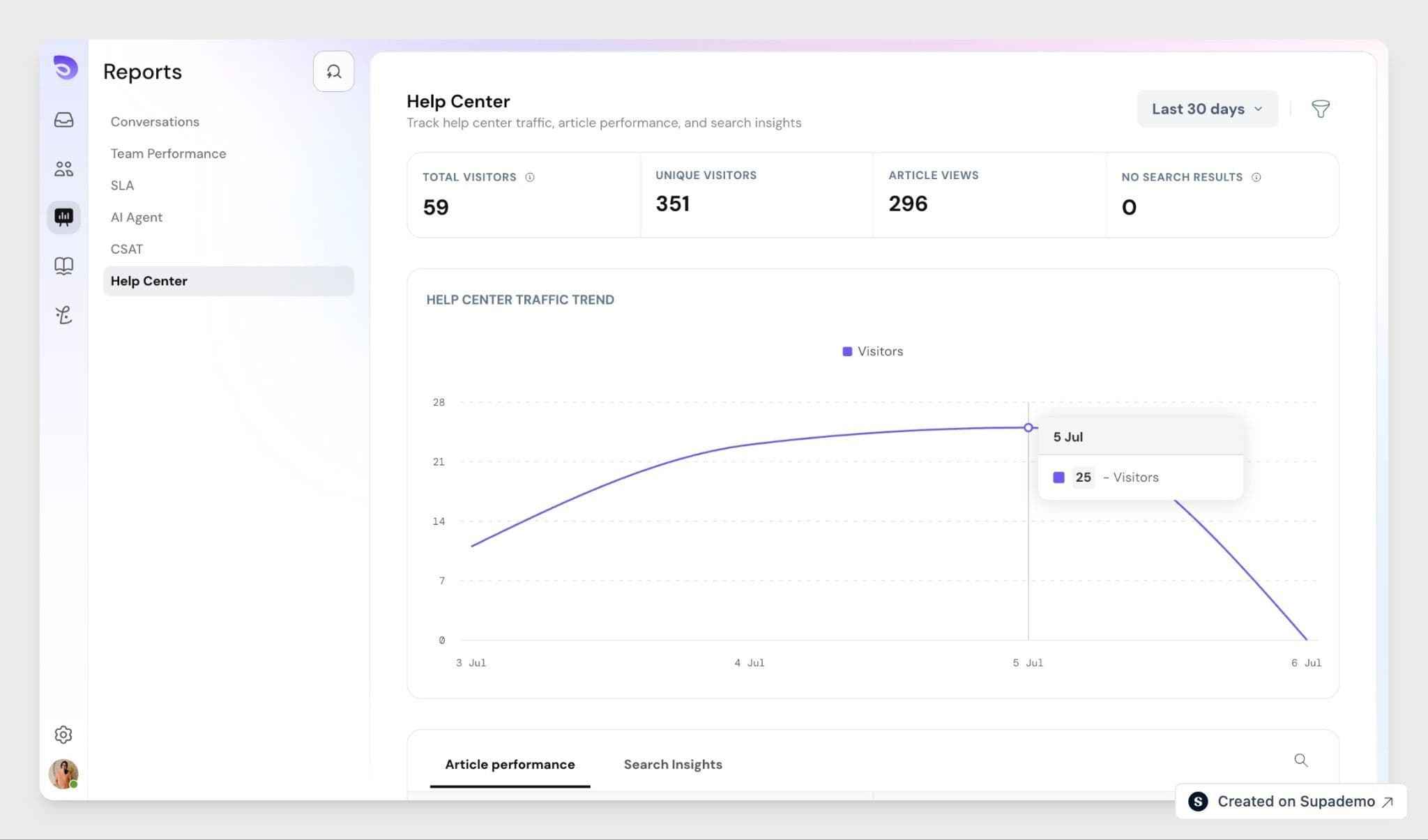
Help Center Reports give you visibility into what customers search for, which articles get used the most, and where they struggle to find answers. Instead of guessing which articles need work, you can base decisions on actual usage data.
Metrics You Can Track
Help Center metrics
- Total visitors
- Total article views
- Unique visitors
- Total searches
- Failed searches
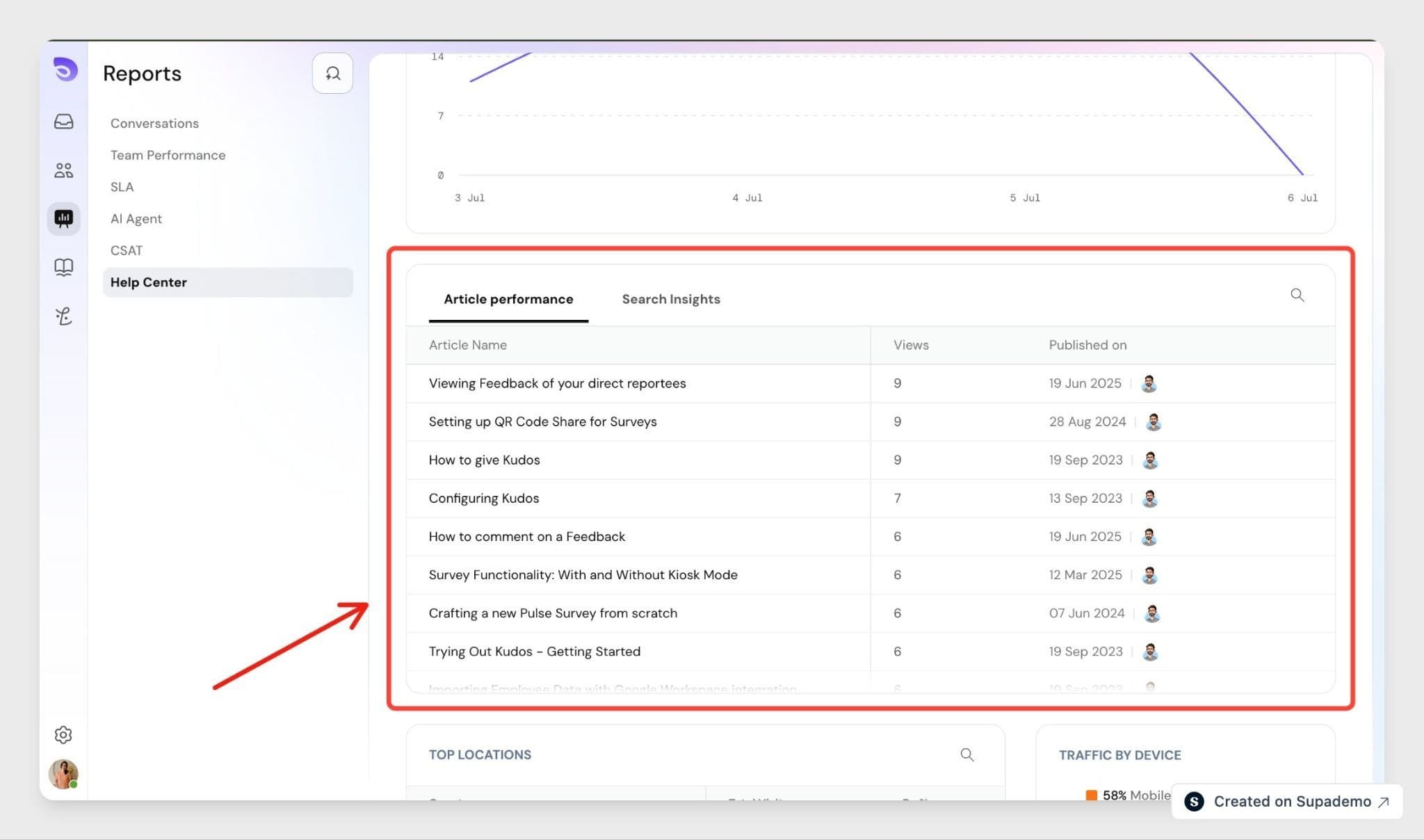
Article metrics
- Views per article
- Unique users per article
Search metrics
- Most searched queries
- Failed searches (queries with no matching results)
Article metrics show you your best-performing content. Search metrics show you what customers are looking for, including questions your Help Center doesn't answer yet.
How Visitors and Sessions Are Tracked
SparrowDesk assigns each visitor a unique user_id the first time they open your Help Center. This ID is stored in the visitor's browser, so returning visitors are recognized without needing to log in. If the visitor is a known contact, SparrowDesk links their contact_id to the same data. SparrowDesk filters known bot traffic from visitor and session counts, so your metrics reflect real customer activity.
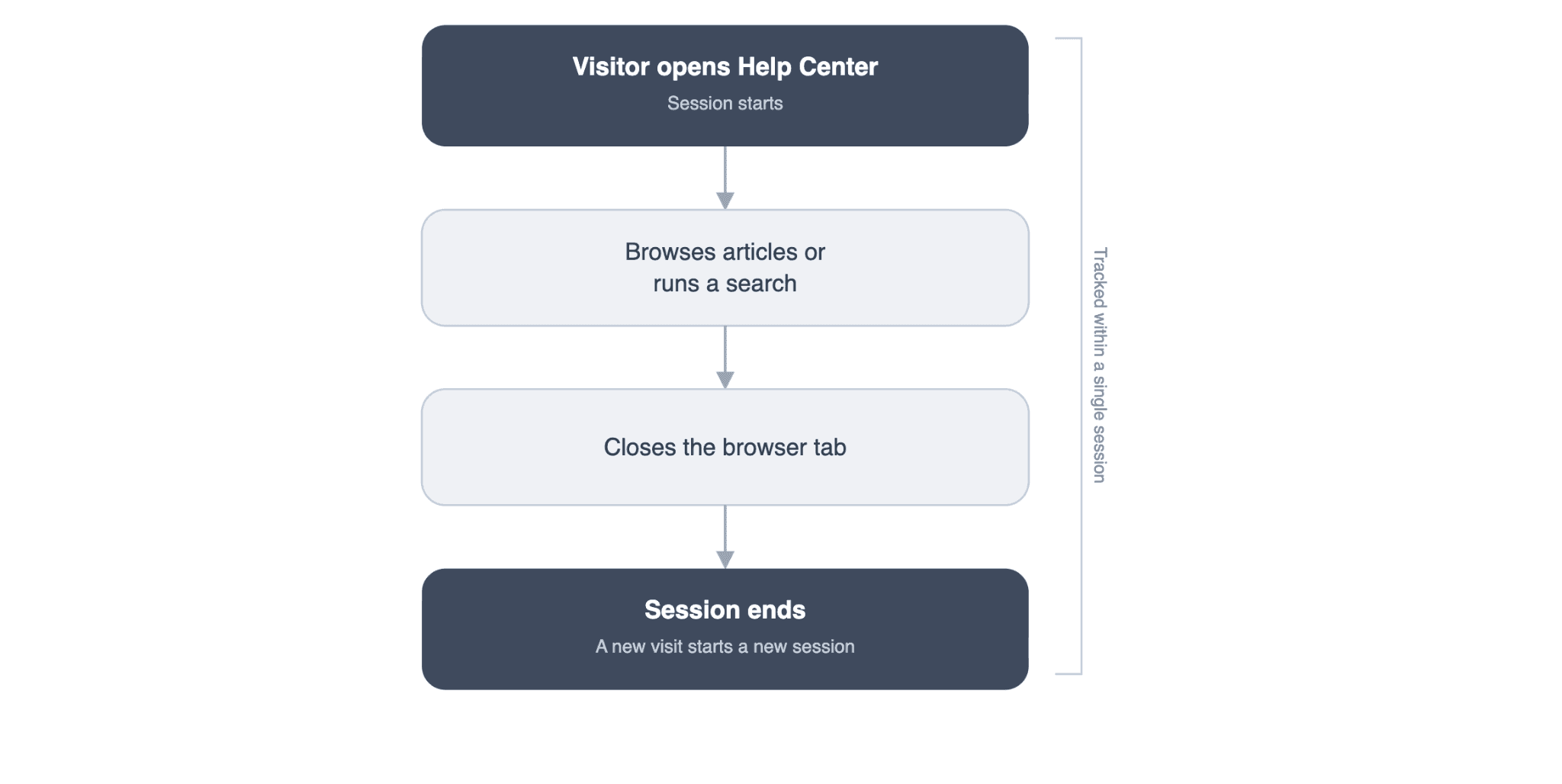
A new session starts each time a visitor opens your Help Center and ends when they close the browser tab. Within a session, SparrowDesk records page visits, UTM parameters, device type, browser information, and approximate location.
For more on setting up collections and pages, see Setting Up and Customizing Your Help Center.
FAQ
- Does a customer need to log in for their visit to be tracked?
No. SparrowDesk assigns a unique user_id on the customer's first visit and stores it in their browser to recognize them on return visits. - What counts as a failed search?
A failed search is any query that returns no matching articles. Tracking these helps you find content gaps in your Help Center. - Will a returning visitor be counted as a new visitor?
No. SparrowDesk reuses the same user_id for returning visitors, so repeat visits don't inflate your visitor count. - What happens when a customer closes their browser tab?
Their current session ends. Opening the Help Center again starts a new session. - Can I see the exact location of a visitor?
No. SparrowDesk captures approximate location based on session data, not a customer's precise address.