
Search

AI agent in SparrowDesk can be trained to provide more accurate and helpful answers by feeding it with trusted content from your workspace. Training ensures that your AI agent (customer-facing) and AI Copilot (agent-facing) have access to the right knowledge sources when responding.
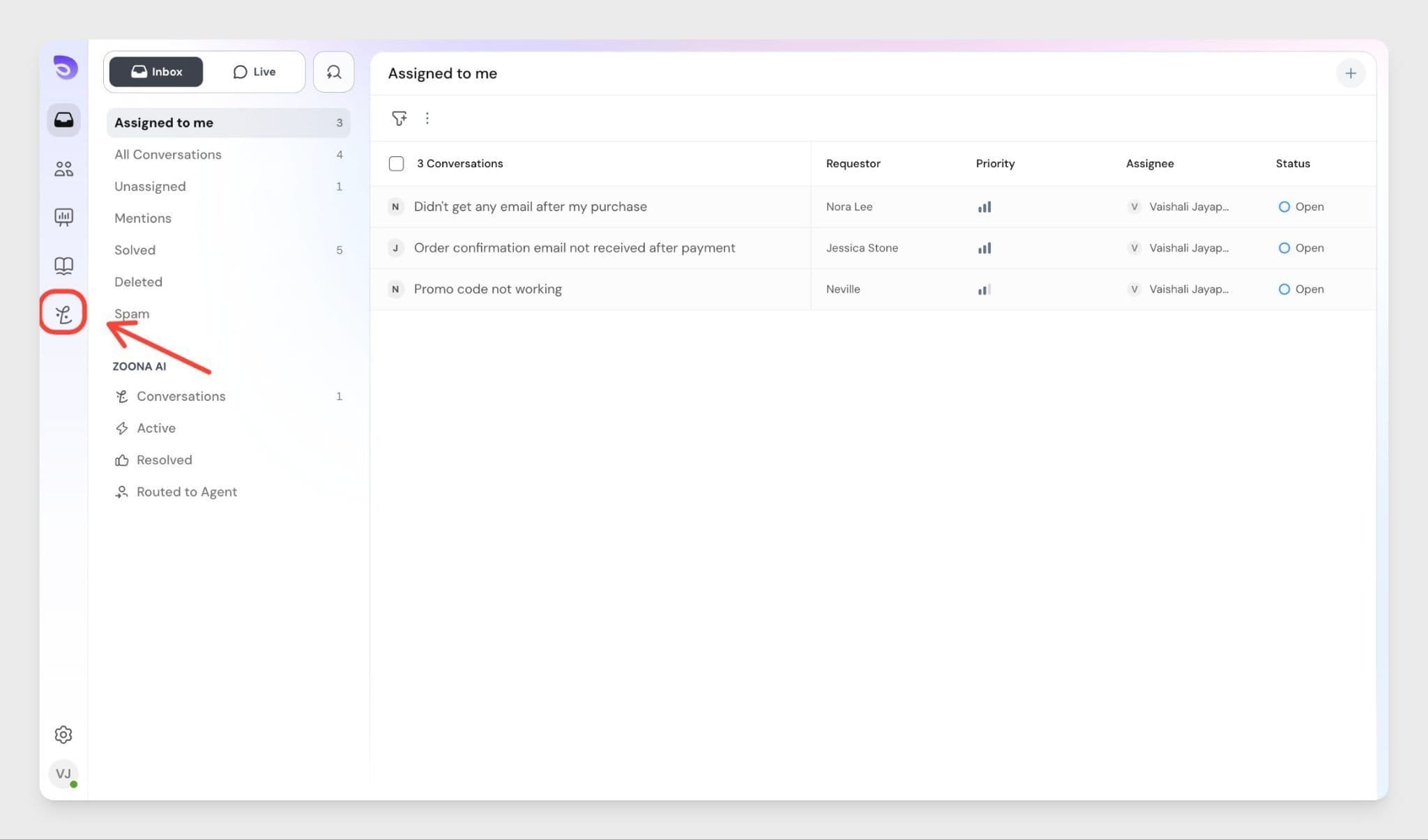
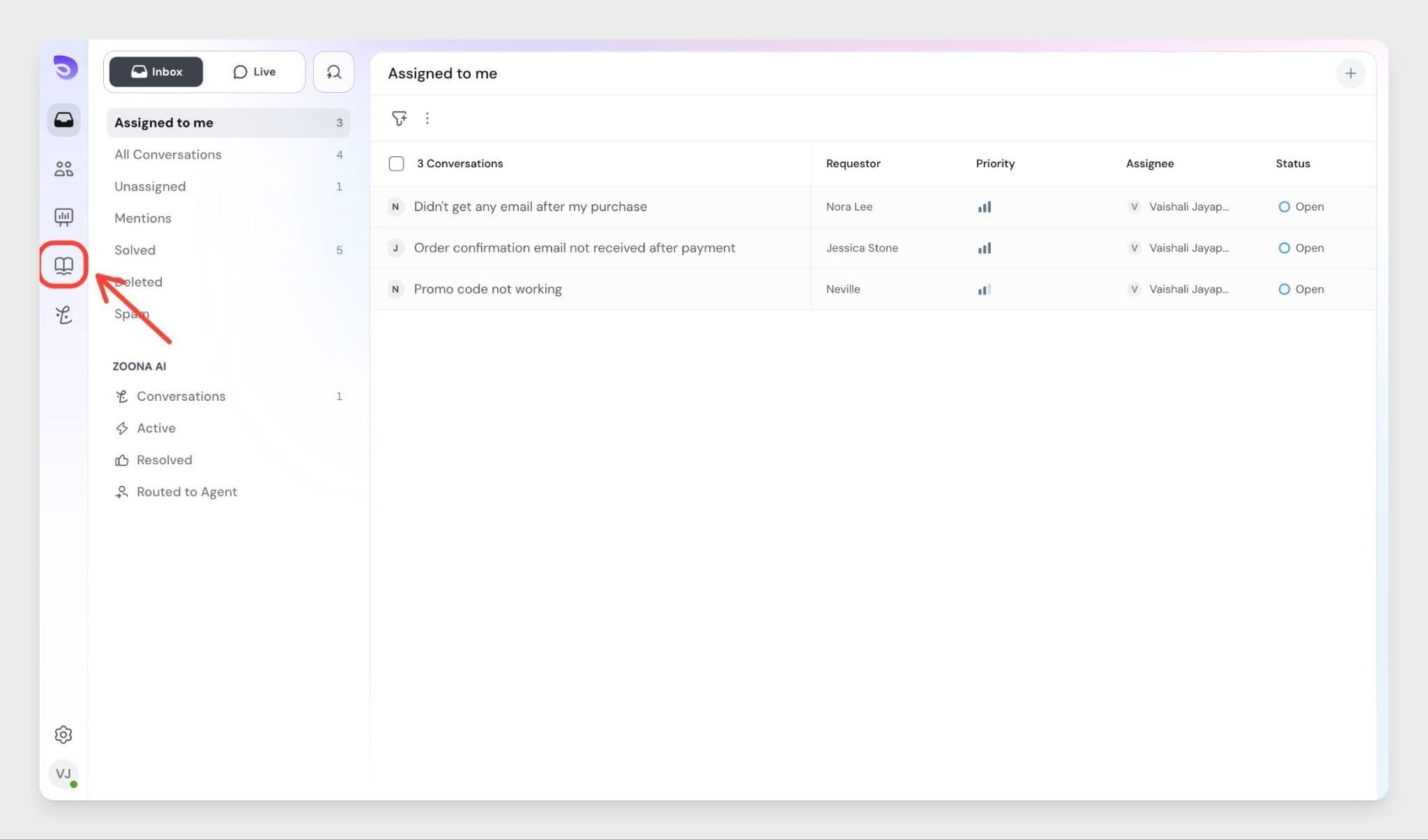
Where to access this:
You can train your AI agent from two places:
Who can do this:
To configure AI training from AI Agents → Knowledge, you need the Zoona AI permission, which is available to Account Owners and Admins by default. If you need access, contact your Admin.
Currently, there are four main ways to train the Zoona AI agent:
You can upload documents directly into the Knowledge section. These documents will be parsed and used privately to train the AI.
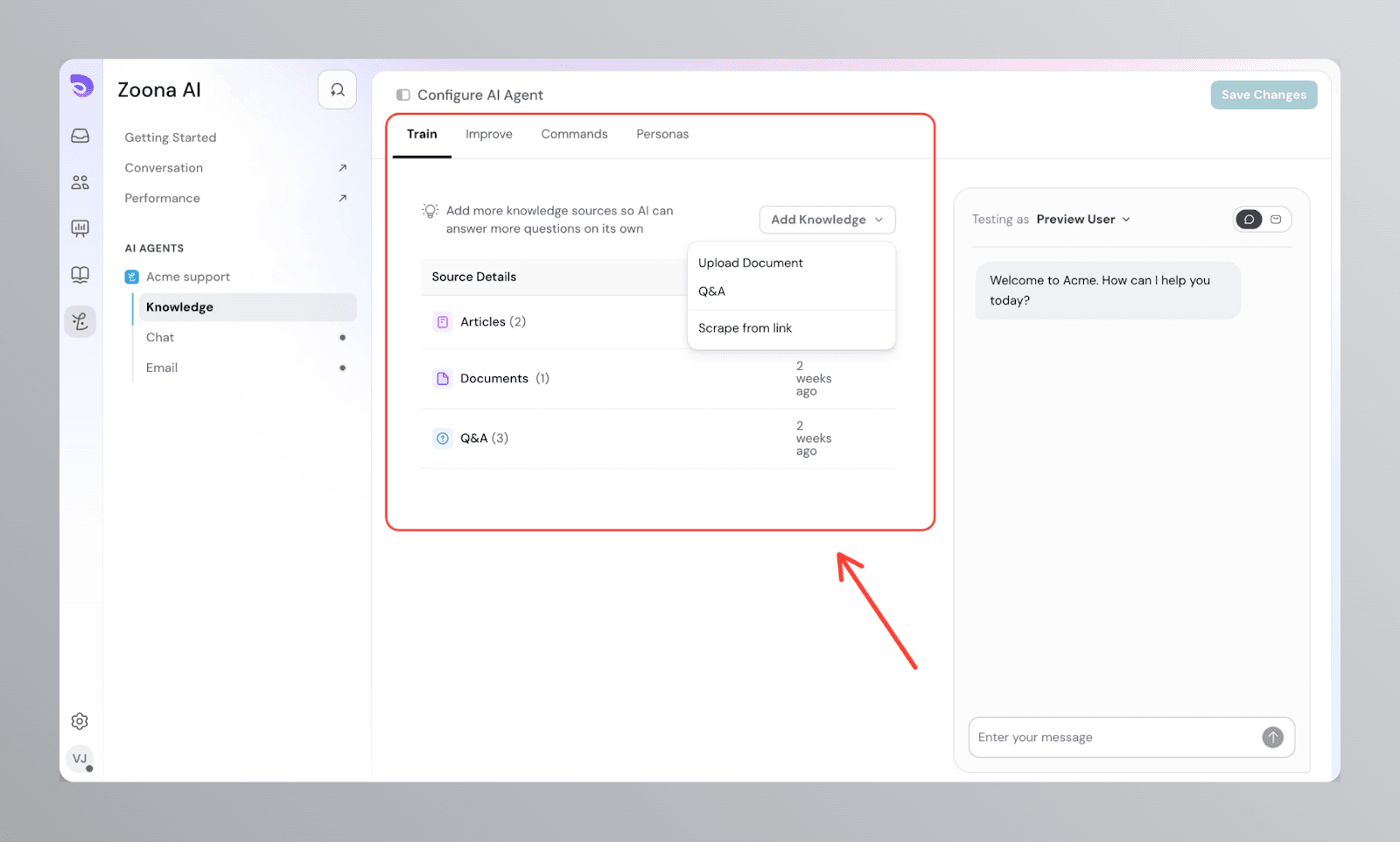
To upload a document:
For best results, the files you upload should be text-based (not scanned images), formatted in a single-column layout, and free of any encryption or password protection. This ensures that the system can parse the content quickly and accurately.
Once uploaded, the content is available instantly for the Zoona AI agent and AI Copilot.
Instead of uploading files, you can provide a URL and SparrowDesk will sync content from that site. This is useful for websites, documentation pages, or blogs.
Add steps:
To add a URL:
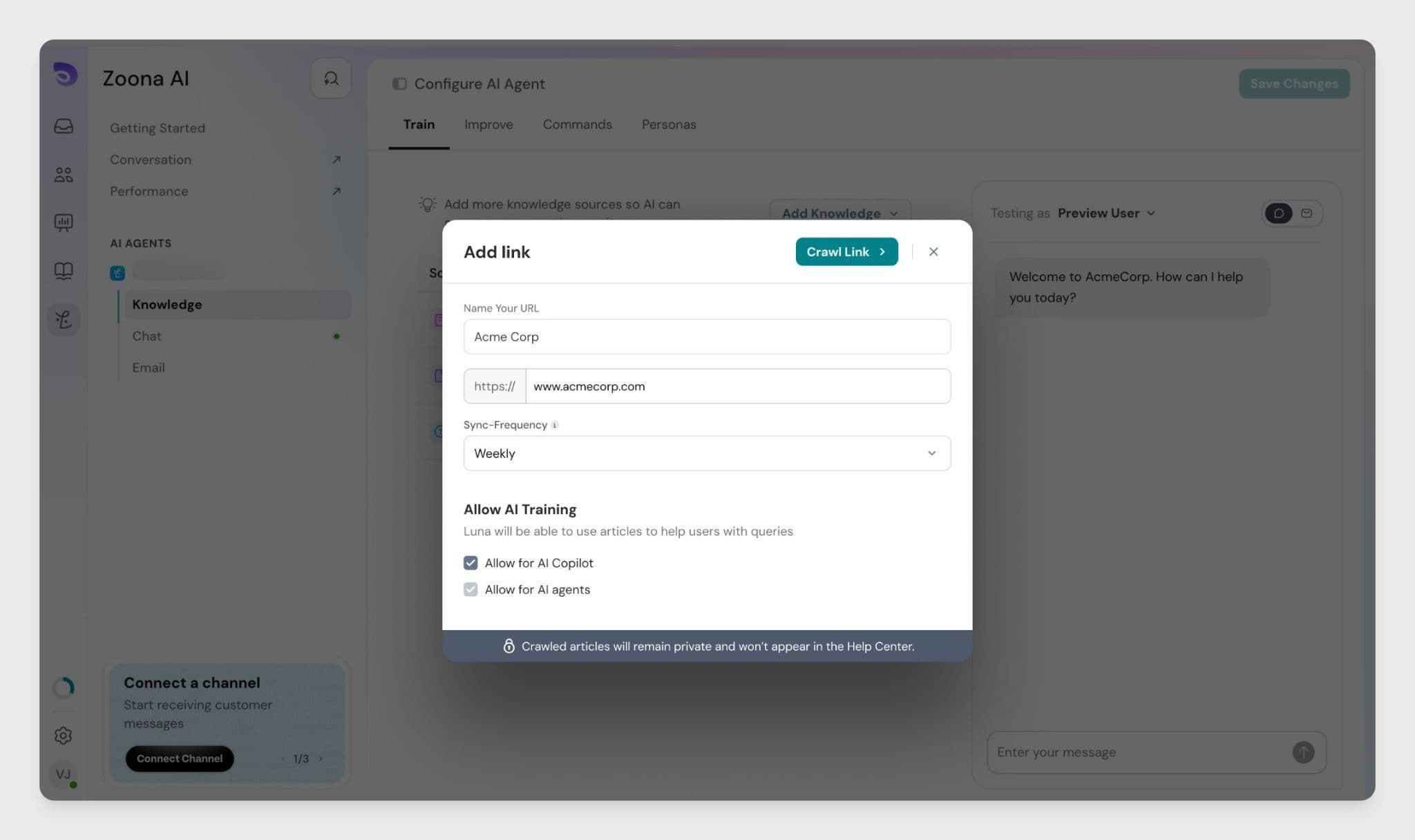
Crawling process:
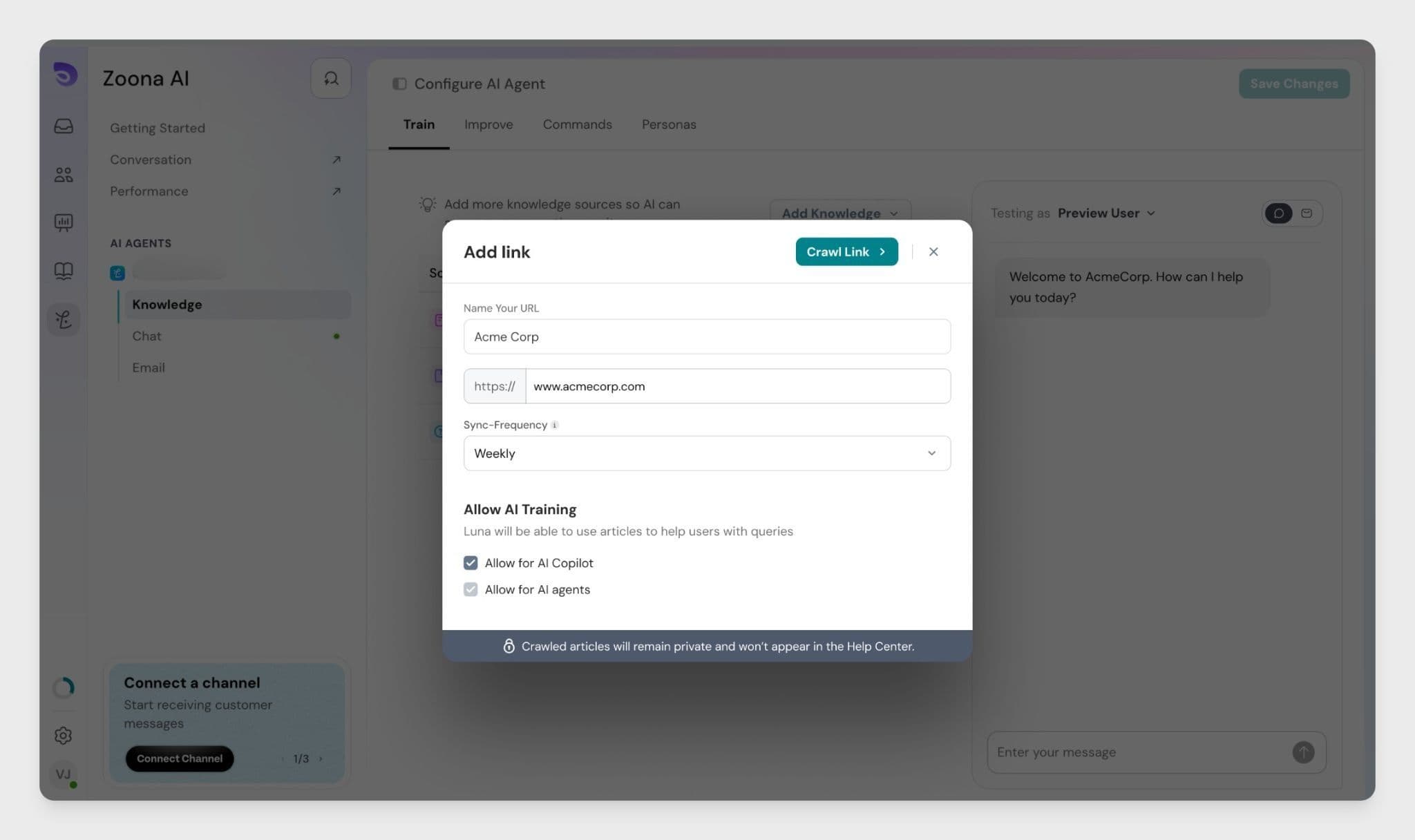
Crawler Capabilities
You can also remove URLs later if you no longer want them to be part of AI training.
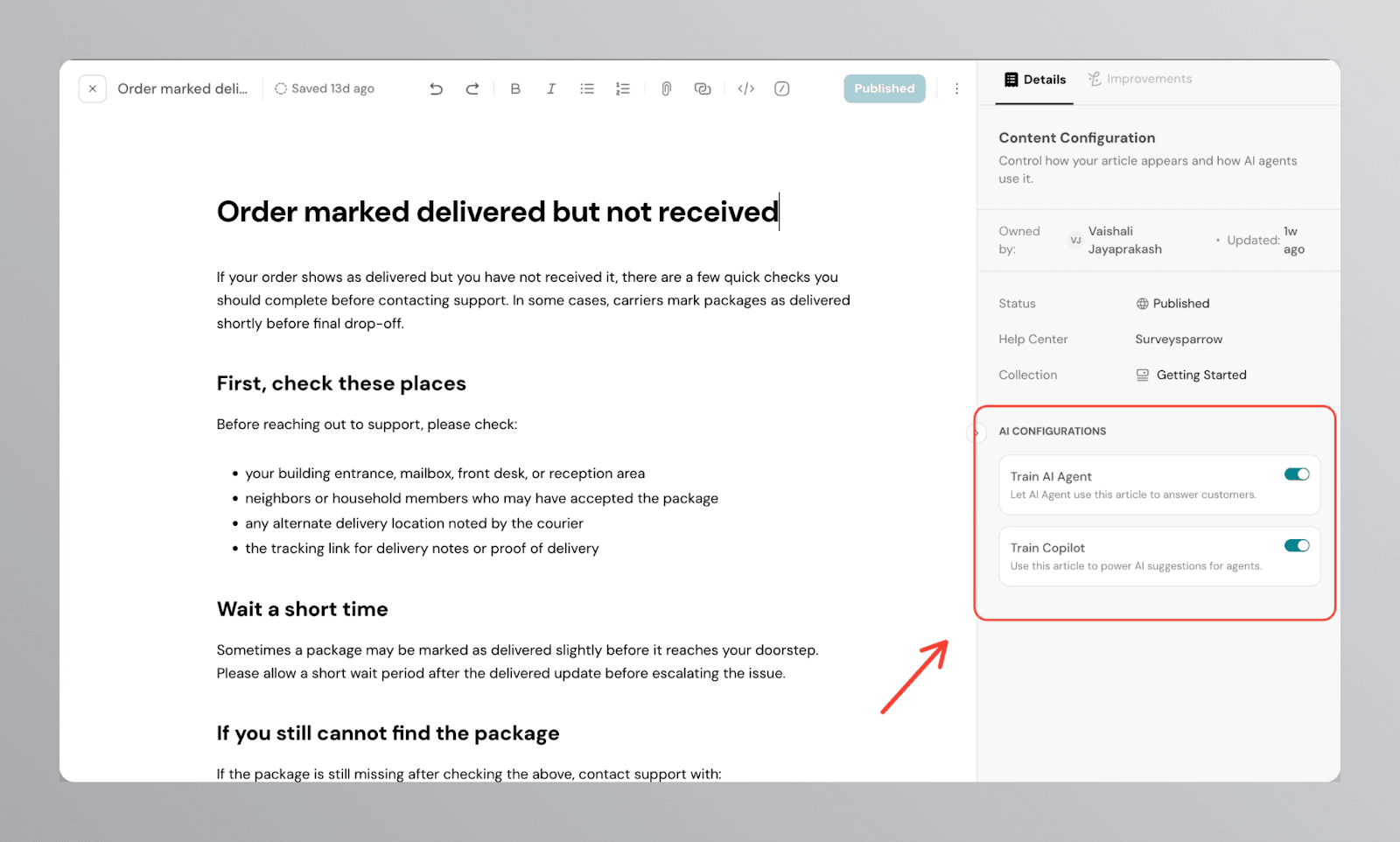
Your Help Center content can also serve as a knowledge base for the Zoona AI agent. While creating or editing an article, you can choose whether to include it in AI training.
On the right panel, you will see an option to enable or disable the article for AI training.
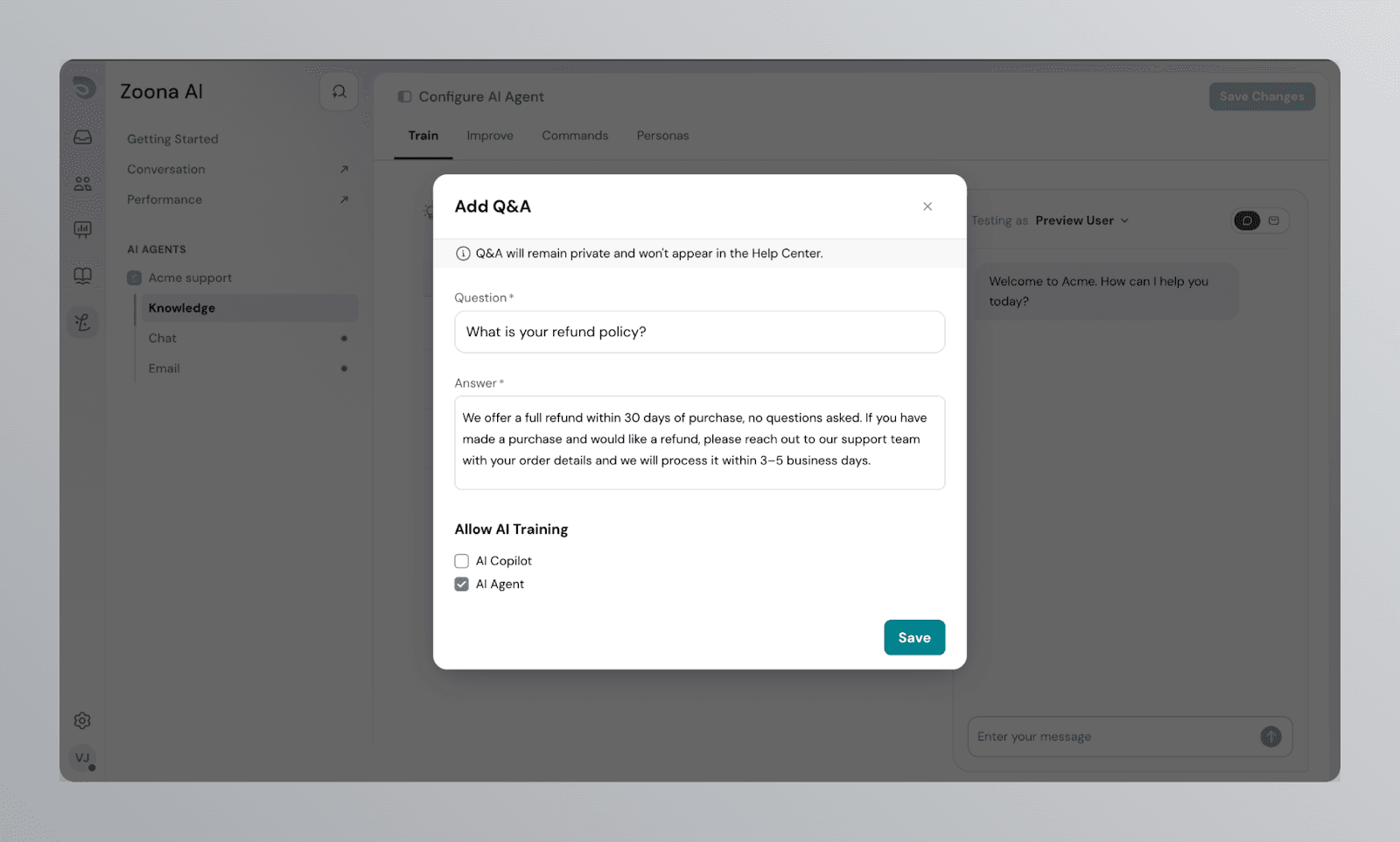
You can manually add question and answer pairs to train your Zoona AI agent on specific topics. This is useful for common customer questions where you want the AI agent to respond in a precise and controlled way.
Q&A entries remain private and will not appear in your Help Center.
When adding a Q&A, you can choose whether to make it available to the AI Copilot, the AI Agent, or both, using the Allow AI Training checkboxes.
By combining uploaded documents, website URLs, Help Center articles, and Q&A pairs, you can create a strong foundation for your Zoona AI agent. This ensures that your customers receive accurate, up-to-date, and helpful responses — reducing support load and improving customer satisfaction.
Powered By SparrowDesk