
Search
Ticket Forms help agents collect the right information before a ticket is created.
Customers fill out a structured form with the details your team needs to get started. This reduces follow-ups and speeds up resolution.
When customers describe issues , important details are often missing. Agents then have to ask follow-up questions just to get the right information to start working on the ticket, slowing down the entire process.
Ticket Forms solve this by:
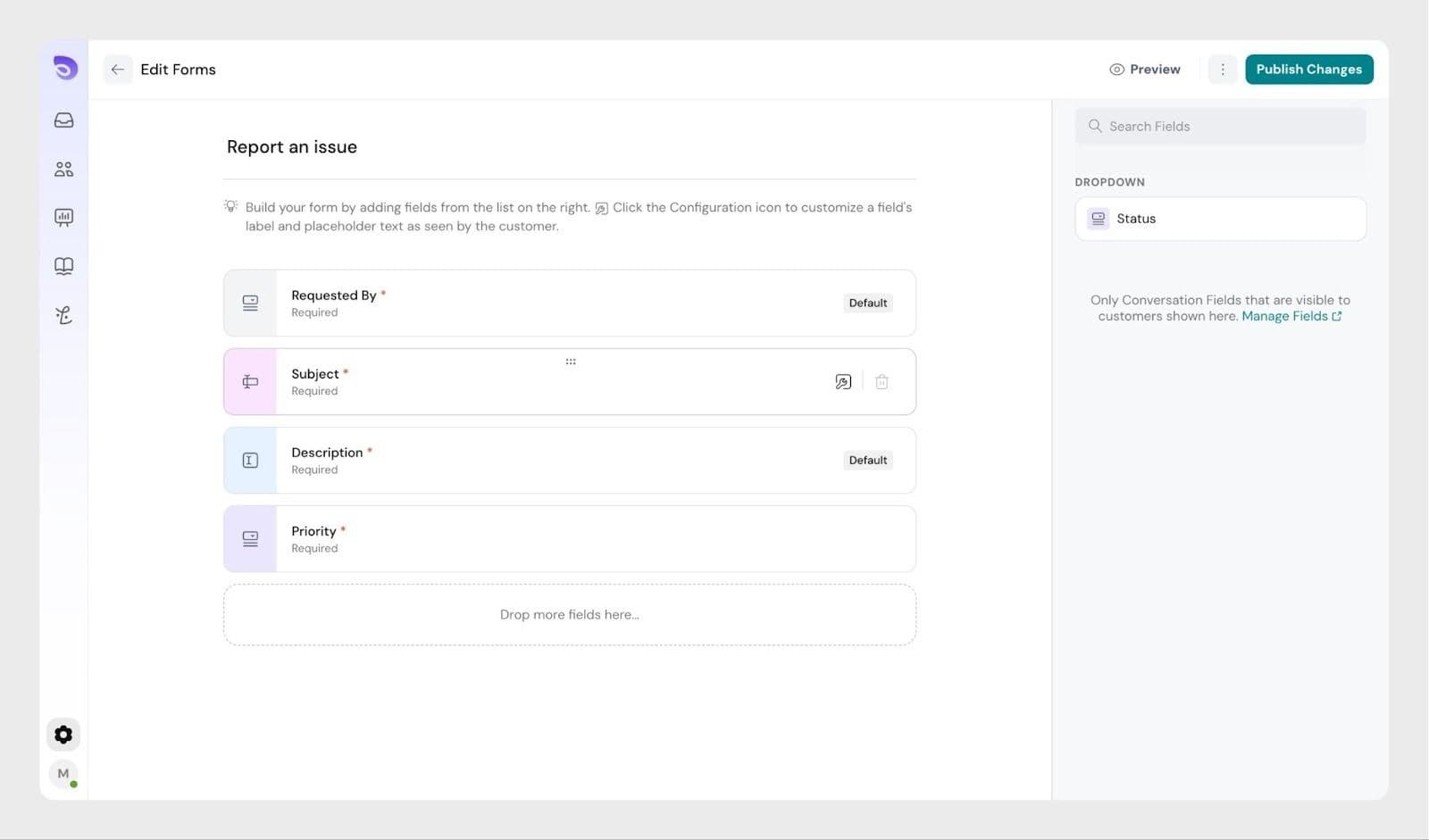
Ticket Forms are built using conversation fields.
You can create multiple forms, each tailored to a specific type of request, such as:
This ensures customers see only the fields relevant to their issue.
Ticket Forms are available to customers through the Customer Portal in the Help Center.
Only users with the Manage Forms permission can create or edit ticket forms.
Learn more: Roles and permissions
Default Fields
Every new form includes the following fields by default:
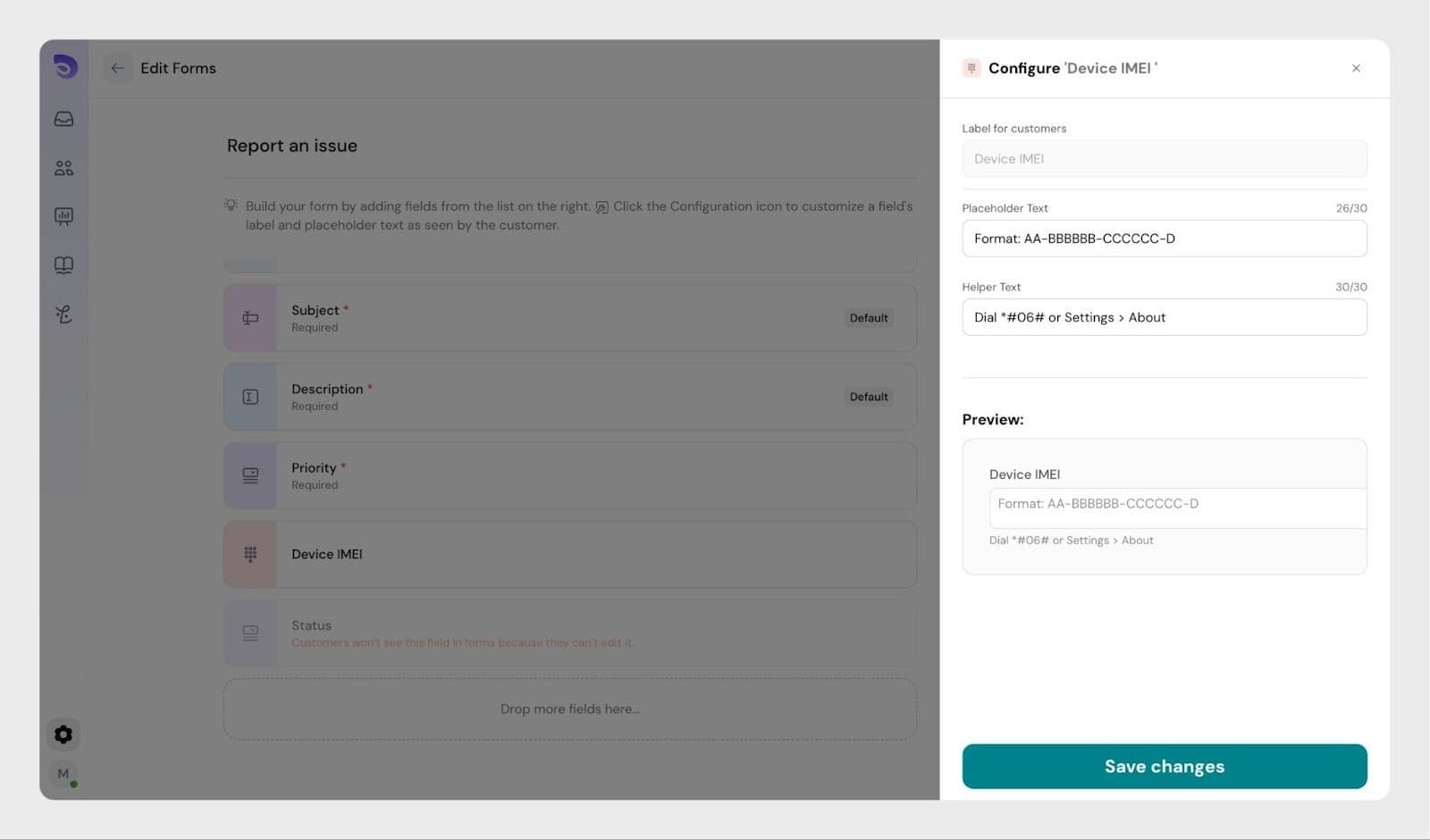
These fields cannot be removed, but you can customize their display names and helper text.
Adding and configuring fields
Finalizing the form
Publishing a form makes it available to customers—but only if the Customer Portal is enabled.
To enable the Customer Portal, refer to this article.
Agents can also submit tickets using ticket forms from the Customer Portal.
This is useful when:
A ticket form appears in the Help Center only after it is published and the Customer Portal is enabled.
Customers can see only fields that are allowed for customer input. If a field is missing, check that the Customers can edit permission is enabled for that field.
Yes. Agents can use ticket forms to create tickets from the customer portal. This is useful when creating tickets on behalf of customers.
Powered By SparrowDesk